Blur WhatsApp Web. Reveal only what you point at.

BlurChat hides contact names, messages, profile pictures and media on WhatsApp Web, so nobody can read over your shoulder or on a shared screen. It never reads your data.

Works on Chrome, Edge and Brave  ·  No account  ·  No tracking

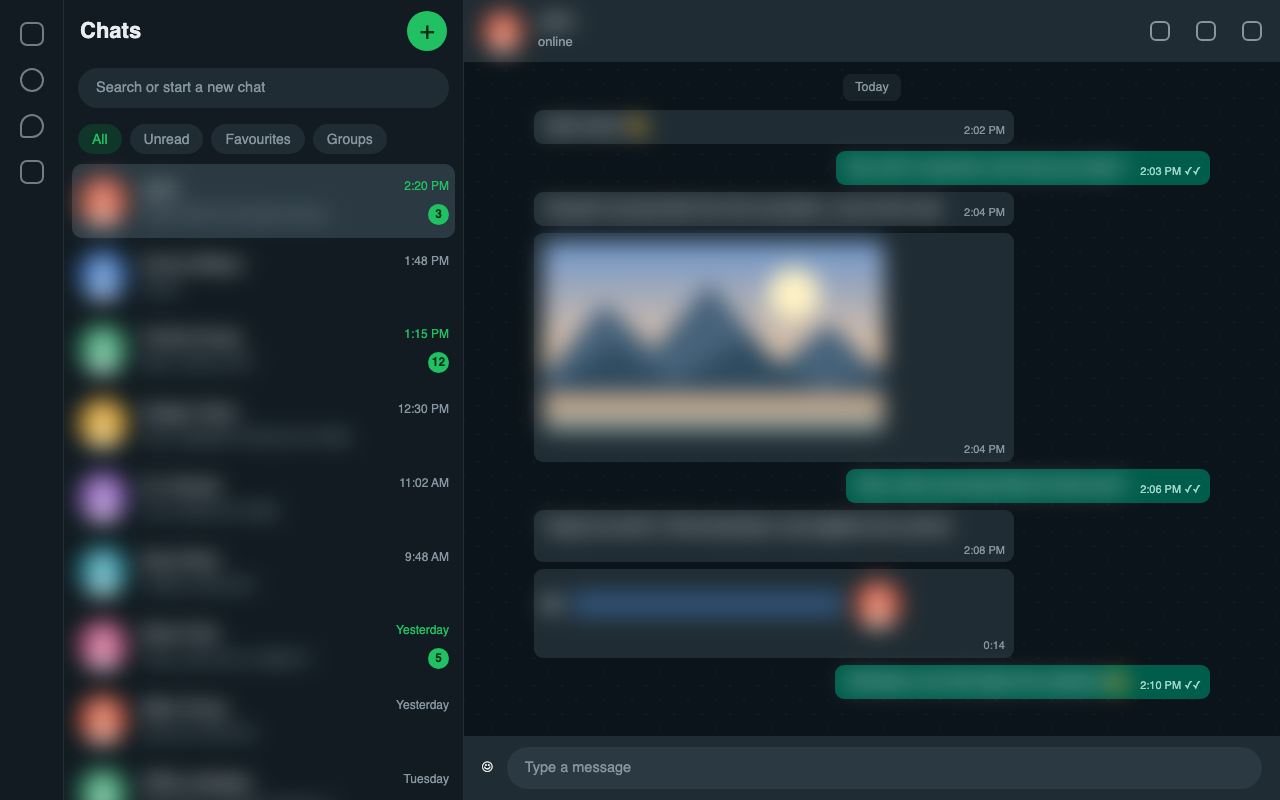
WhatsApp Web with contact names, messages and photos blurred by BlurChat
Reads no chat dataNo servers or analyticsOnly runs on web.whatsapp.comFree

Everything you need to keep chats private

Choose exactly what to hide, from just names to the whole conversation.

Names & profile pictures

Blur contact and group names, last-message previews and avatars in the chat list, header and inside chats.

Messages & replies

Hide message text, quoted replies and sender names in groups.

Photos, videos & files

Blur photos, videos, GIFs, stickers, documents and link previews.

Exact hover reveal

Hover one item and only that item unblurs. Add a delay so nothing flashes by accident.

Auto-blur when you leave

Blur the whole app the moment the window loses focus.

One-key panic switch

Press Alt+Shift+B to turn protection on or off instantly.

Your rules

Adjustable blur strength, hide-completely mode and one-click presets.

Hide single messages

Remove an individual message from view locally, and restore it any time.

How it works

Set up in seconds, then forget it is there.

Install

Add BlurChat to Chrome from the Web Store. No sign-up.

Open WhatsApp Web

Names, messages, photos and media are blurred automatically.

Hover to reveal

Point at any single item to read it. Move away and it blurs again.

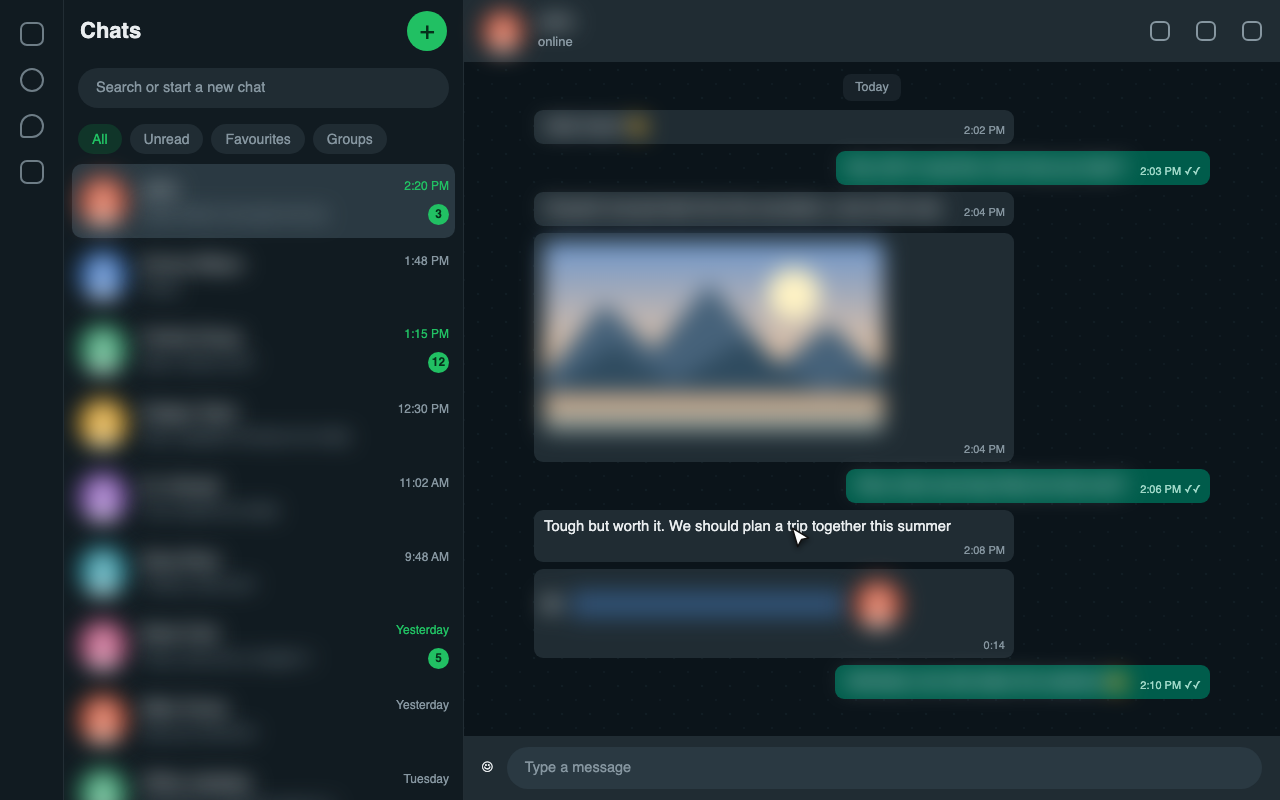
Reveal one thing, not everything

Other tools unblur the whole chat. BlurChat reveals only the exact message, name or photo under your pointer.

  • Everything else stays hidden
  • Optional hover delay for accidental moves
  • Adjustable blur strength
Hovering a single message and photo reveals only that item
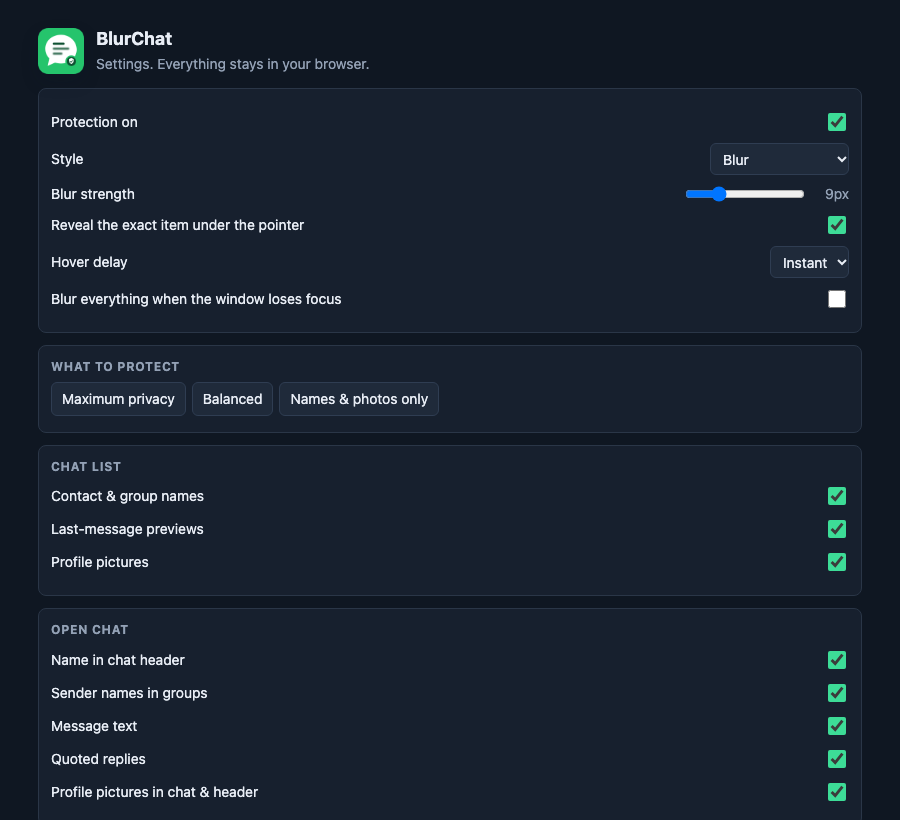
BlurChat settings page with presets and per-item toggles

Full control, in a few clicks

Use a preset or switch individual items on and off. Settings are saved in your browser only.

  • Presets: Maximum, Balanced, Names & photos only
  • Popup, settings page and an on-page shield button
  • Light and dark interface

Private by design

A privacy tool should not need your data. BlurChat does not.

It never reads your chats

Blurring is done with CSS. The extension does not read message text, names, numbers or media.

Nothing leaves your browser

No servers, no analytics, no ads, no remote code and no network requests.

Minimal access

It only runs on web.whatsapp.com and asks for just the browser storage permission.

Read the full privacy policy →

Frequently asked questions

Quick answers about privacy and how BlurChat works.

Does BlurChat read my WhatsApp messages?

No. BlurChat only applies blur styling to the page. It never reads, copies or sends your messages, names, numbers or media, and it makes no network requests.

How do I reveal a blurred message or photo?

Move your pointer over it. Only the item under your pointer is revealed, and it blurs again when you move away.

Is it free?

Yes.

Which browsers does it work in?

Google Chrome, plus Microsoft Edge, Brave and other Chromium browsers that support Manifest V3 extensions.

Does it work on the WhatsApp phone app?

No. It works only on WhatsApp Web at web.whatsapp.com in a desktop browser.

What if WhatsApp changes its layout?

WhatsApp updates its website often. If something stops blurring after an update, a fix will be published as an extension update.

Is BlurChat affiliated with WhatsApp?

No. BlurChat is an independent project and is not affiliated with, endorsed by or sponsored by WhatsApp LLC or Meta Platforms, Inc. WhatsApp is a trademark of its owner.
Keep your chats yours

Add BlurChat to Chrome in one click. Free, private and no account needed.

Add to Chrome - it's free